
Before you start
Sign in to HubQuery with the account that should perform this task. If you manage more than one role (Agent, Host, Landlord), switch to the correct dashboard view from the header before continuing. Turn on notifications under Dashboard → Settings → Notifications so you do not miss important updates.
Quick guide to the main dashboard menus so you know where to go.
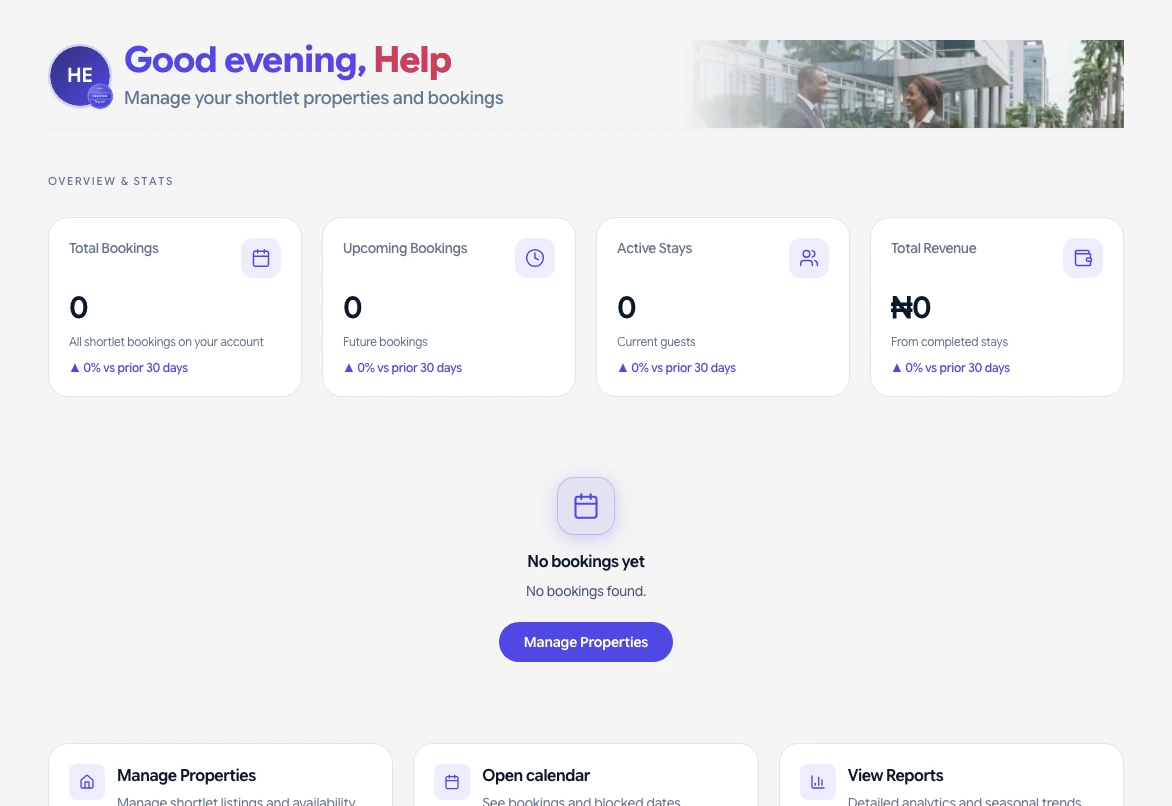
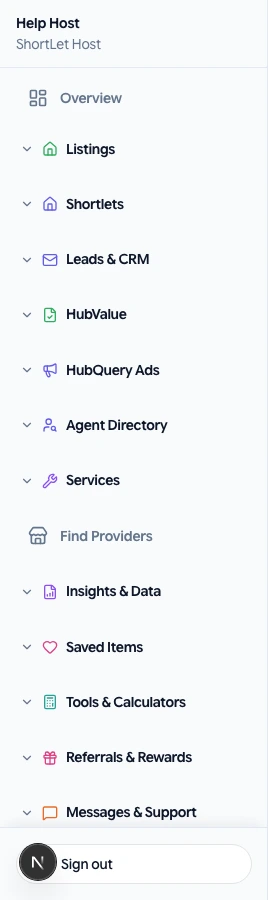
Overview / Home
Summary of your activity: recent leads, bookings, or payments. A good starting point each time you log in.
Listings / Properties
All your property listings. Add, edit, or remove listings here. You can also boost or feature listings from this section.
Leads / HubLeads
Inquiries from your listings. Read and reply to messages from potential buyers or renters.
CRM / Deals
Your sales pipeline. Move leads to deals and track them from new to closed. Used mainly by agents and agencies.
Host / Shortlets / Calendar
Short-term rental calendar, bookings, pricing, and availability. For hosts only.
HubLease / Leases / Rentals
Create and manage leases, add tenants, and track rent. For landlords and owners.
HubRent / Rent collection
Send rent requests and track payments. For landlords.
Wallet
Your balance and payout history. Withdraw to your bank from here.
Settings
Profile, notifications, bank account, password, and other account settings.
Help
Link to the Help Center where you can search articles and submit support requests.
If something goes wrong
If a screen does not load or a button is missing, refresh the page, sign out and back in, and confirm you are using the correct role. Check that your country hub supports the feature. For billing or access issues, open Help → Submit a request with your account email, a short description, and a screenshot if possible. We aim to respond as soon as we can.